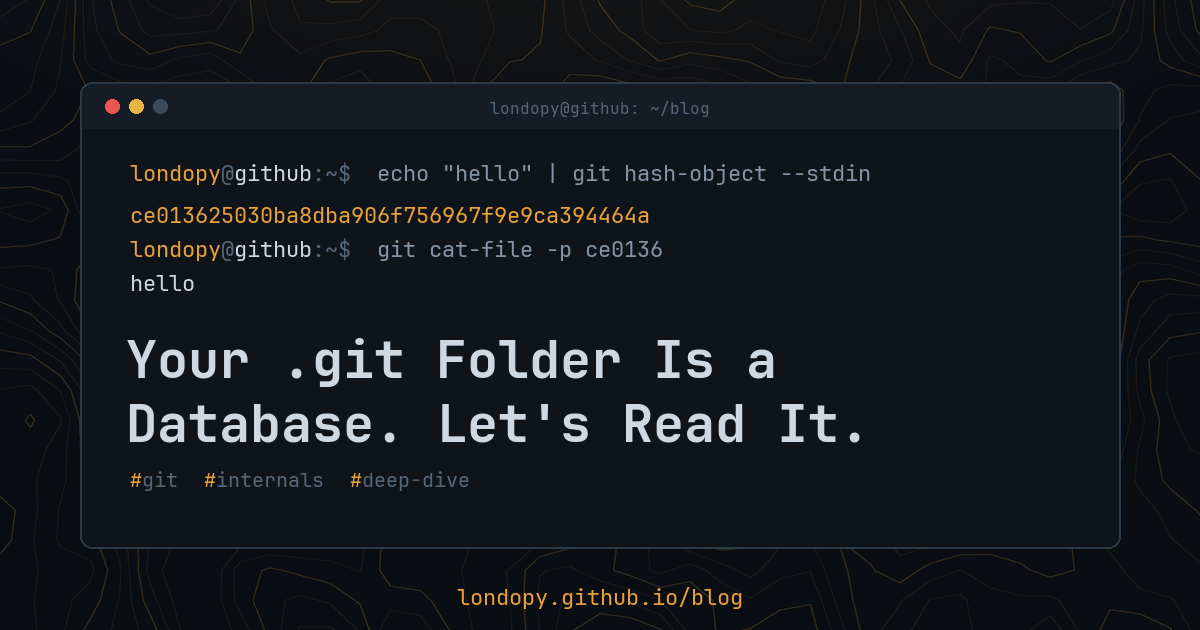
Every Git repo has a hidden .git folder. Most people never open it. That’s where all of Git lives: every version of every file, every branch, every commit message. And it’s surprisingly simple once you look.
Let’s take it apart.
Setup
Make a throwaway repo so we can poke at it safely:
mkdir git-internals && cd git-internals
git init -b main
echo "hello" > hello.txt
git add hello.txt
git commit -m "first commit"
Now look inside:
ls .git
You’ll see things like HEAD, config, index, objects/, and refs/. We’ll go through the important ones.
Objects: the actual data
Git stores everything as objects in .git/objects. There are four kinds:
- blob: the contents of a file (just the bytes, no name)
- tree: a directory listing (names, permissions, and pointers to blobs and other trees)
- commit: a snapshot (a pointer to one tree, parent commits, author, message)
- tag: an annotated tag (a pointer to an object, plus a message)
Every object is named by the hash of its contents. That’s why Git is called a content-addressable store: the address is the content’s fingerprint.
Finding our file
Ask Git what hash “hello\n” would get as a blob:
echo "hello" | git hash-object --stdin
ce013625030ba8dba906f756967f9e9ca394464a
You’ll get this exact hash on any machine, in any repo. Same content, same hash, always.
Now find it on disk. Git splits the hash: the first two characters are a folder, the rest is the file name:
ls .git/objects/ce/
There it is. The file is zlib-compressed, so cat shows garbage. Git can read it for us:
git cat-file -t ce0136   # type
git cat-file -p ce0136   # contents
blob
hello
Or decompress it yourself with Python to see the raw format:
python3 -c "import zlib,sys; print(zlib.decompress(open(sys.argv[1],'rb').read()))" .git/objects/ce/013625030ba8dba906f756967f9e9ca394464a
b'blob 6\x00hello\n'
That’s the entire format: the type, a space, the size in bytes, a null byte, then the content. The hash is SHA-1 of exactly that string.
Walking from a commit down to a file
Start at the latest commit:
git cat-file -p HEAD
tree aaa96ced2d9a1c8e72c56b253a0e2fe78393feb7
author ...
committer ...

first commit
Follow the tree:
git cat-file -p aaa96c
100644 blob ce013625030ba8dba906f756967f9e9ca394464a hello.txt
That’s the whole chain: commit → tree → blob. A commit doesn’t store differences; it points to a full snapshot. Git saves space because unchanged files keep the same hash, so every commit just points to the same blob again.
(Your commit hash will differ from mine, because a commit includes your name and the exact time. The tree and blob hashes will match, because they depend only on file names and contents.)
Refs: names for hashes
Nobody wants to type 40-character hashes. Refs are files that hold them:
cat .git/refs/heads/main
That’s it. A branch is a text file containing a commit hash. Creating a branch is writing one small file. That’s why branches in Git are so cheap.
And HEAD?
cat .git/HEAD
ref: refs/heads/main
HEAD usually points to a branch, which points to a commit. When you’re in “detached HEAD” state, HEAD contains a commit hash directly instead.
If a branch seems to be missing from refs/heads, check .git/packed-refs. Git bundles refs into that one file to save space.
Packfiles: how Git stays small
Storing every version of every file as a separate compressed object would get big. So Git periodically packs objects into .git/objects/pack/, storing similar objects as deltas (differences) against each other.
git gc
git count-objects -v
Loose objects disappear into a .pack file with a matching .idx index. To peek inside:
git verify-pack -v .git/objects/pack/pack-*.idx | head
Interesting detail: this is the only place Git uses deltas. Your history is modeled as snapshots; deltas are just a storage optimization underneath.
The index: the staging area is a file
git add writes to .git/index, a binary file listing what the next commit will contain. You can see it in readable form:
git ls-files --stage
100644 ce013625030ba8dba906f756967f9e9ca394464a 0 hello.txt
The staging area isn’t a concept. It’s a file.
The reflog: your safety net
Every time HEAD or a branch moves, Git writes a line to .git/logs/:
git reflog
This is how you recover from almost anything: a bad reset, a deleted branch, a rebase gone wrong. Find the hash from before the mistake and:
git branch rescue <hash>
Unreachable objects are only deleted by garbage collection after a grace period (two weeks by default for loose objects). Reflog entries last 90 days, but only 30 for commits that are no longer on any branch, which is what a bad reset or rebase leaves behind. You have time.
Build a commit with no porcelain
For the grand finale, make a commit using only low-level commands:
echo "built by hand" | git hash-object -w --stdin
# note the hash, then:
git update-index --add --cacheinfo 100644 <blob-hash> handmade.txt
git write-tree
# note the tree hash, then:
git commit-tree <tree-hash> -p HEAD -m "a commit made by hand"
# note the commit hash, then:
git update-ref refs/heads/main <commit-hash>
Run git log. Your hand-built commit is there, indistinguishable from any other. (git status will call handmade.txt deleted, because so far the file only exists in the repo. git restore handmade.txt writes it out.) Every friendly Git command is built from pieces like these.
Things you should know
- Don’t edit
.gitby hand in real repos. Explore in a throwaway one. - SHA-256 repos exist. Git supports
git init --object-format=sha256, which gives 64-character hashes. The structure is the same. - Refs won’t always be files. Git 3.0 will switch new repos to the reftable format, and you can try it today with
git init --ref-format=reftable. There, branches live in binary tables under.git/reftable/, and.git/HEADjust saysref: refs/heads/.invalid. Commands likegit branchandgit rev-parsework the same either way. - Hashes include everything. Change one byte of a file, one character of a commit message, or a timestamp, and the hash changes, along with every commit after it. That’s why rewriting history changes all later commit IDs.
Closing thought
Once you’ve seen that a branch is a text file and a commit is a pointer to a snapshot, most of Git’s “weird” behavior stops being weird. It’s a database. Now you can read it.